

Seedream 5.0 Pro Image Generator
Create text-rich infographics, photorealistic product visuals, and multilingual campaign assets with Seedream 5.0 Pro. Use spatial guidance to edit a selected area without rebuilding the entire image.
- Text-rich infographics
- Image editing
- Multi-image fusion
- Multilingual generation
Why choose Seedream 5.0 Pro for professional image creation?
Turn complex briefs into structured, information-rich visuals and make targeted edits when details change—so more of each draft is ready to use.
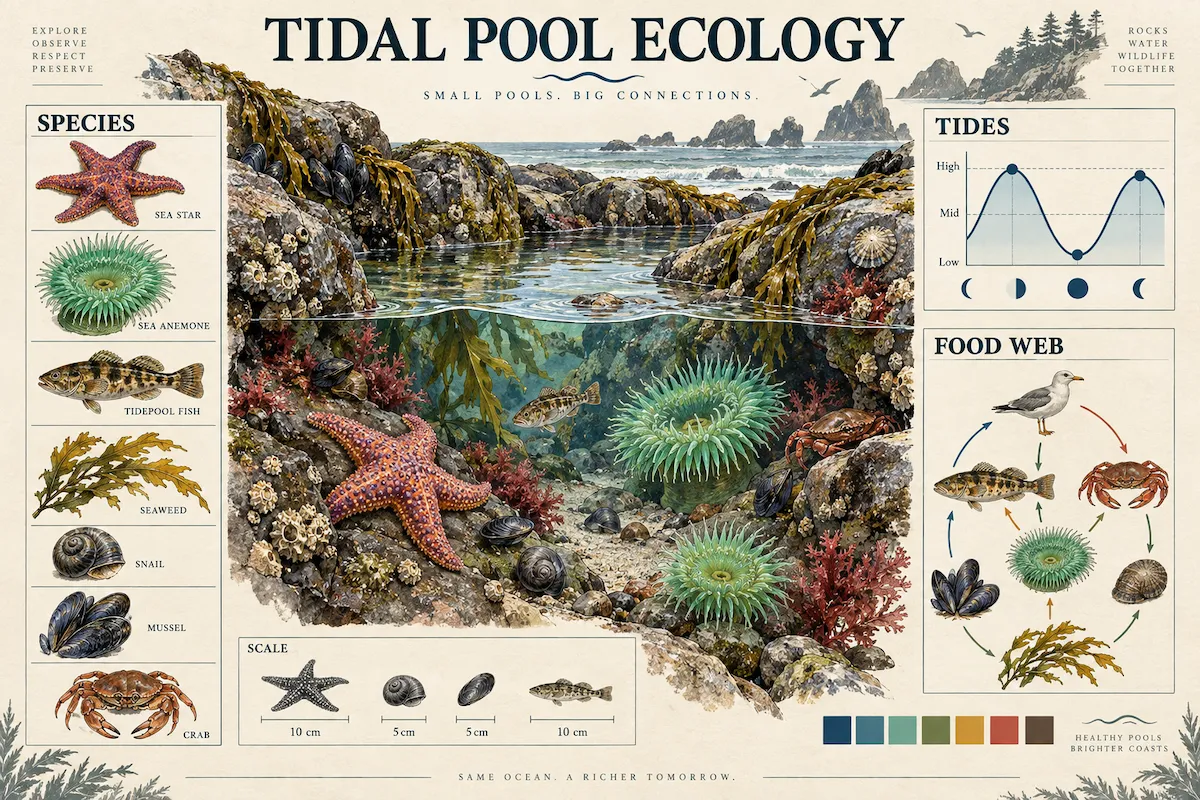
Turn complex information into clear visual stories
Seedream 5.0 Pro is designed for high-density infographics, explainers, diagrams, storyboards, and data-led posters. It can organize headlines, supporting copy, charts, icons, and visual hierarchy into a coherent composition, helping you present more information in a single image without making it feel crowded.
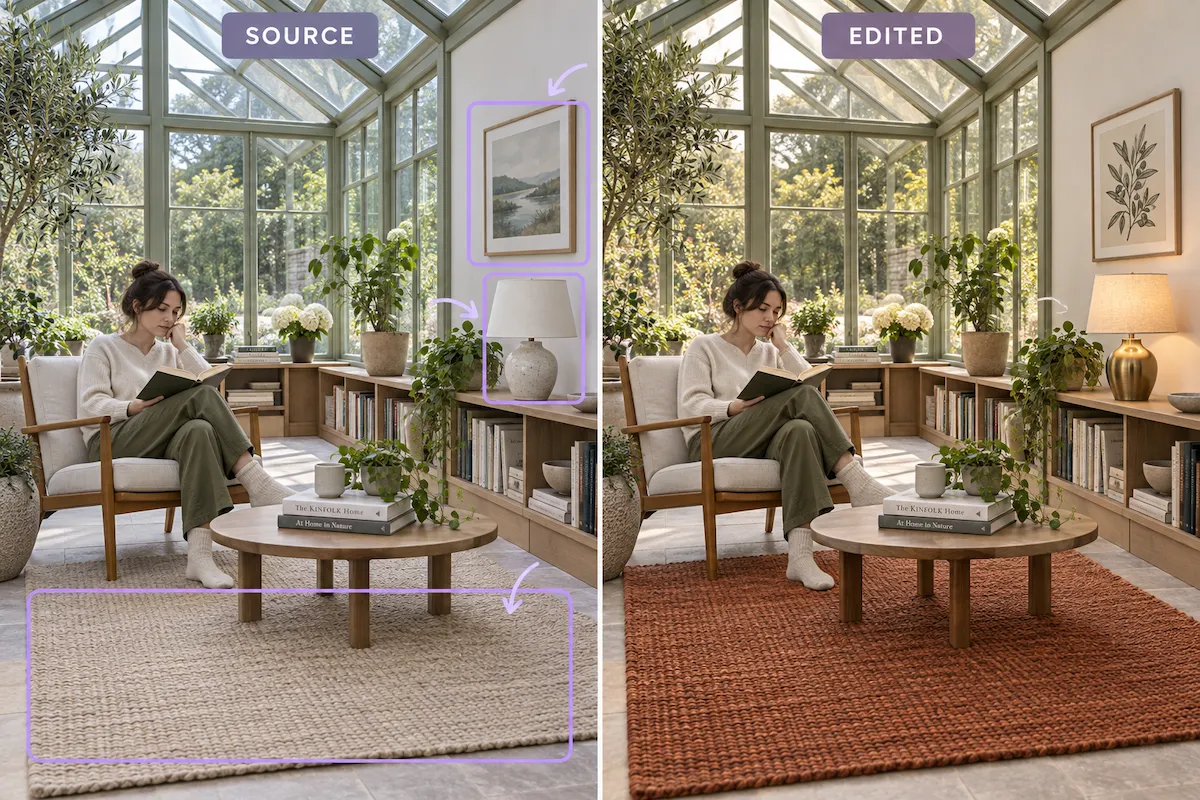
Edit exactly where the change belongs
Use spatial annotations, rough sketches, and written directions to target a specific area instead of regenerating the whole image. Seedream 5.0 Pro can apply localized changes such as color and material swaps, scene adjustments, or subject replacements while preserving the surrounding composition, lighting, and context.
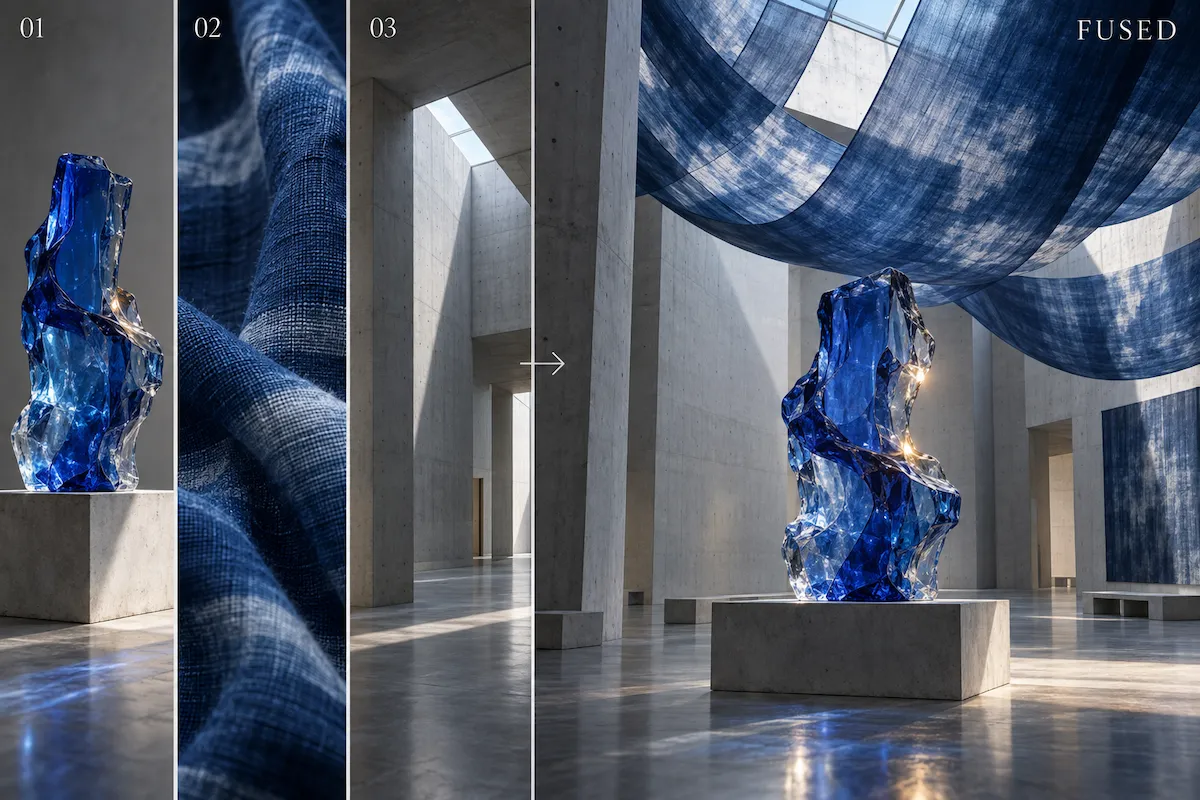
Combine multiple image references into one composed visual
Use separate references for people, products, styles, and composition, then explain the role each should play in the final scene. This gives you a stronger starting point for campaign concepts, product scenes, and group compositions.
Create visuals with realistic light, materials, and people
From lifestyle photography to product scenes and portraits, Seedream 5.0 Pro aims for believable physical detail. Describe the lighting, surface materials, texture, camera treatment, and mood you need to produce images that feel more grounded, while retaining the freedom to explore imaginative concepts.

How to use Seedream 5.0 Pro
Start with the outcome you want, then give the model as much visual direction as the task requires. A focused prompt is enough for a new image; references and annotations give you more control when refining an existing one.
Describe the finished visual
Write what the image needs to communicate, not only what it should look like. Include the subject, audience, layout, key details, visual style, lighting, and any text or data that must appear. For an infographic or poster, name the hierarchy and sections you need.
Add visual guidance when needed
Upload reference images to guide the composition, people, products, or style. For a targeted edit, mark the area to change with a box, selection, or sketch, then state the edit clearly. This makes your intent easier to place within the image.
Generate, review, and refine
Generate your image, check the composition and important details, then refine the areas that need adjustment. Use follow-up instructions to improve a scene, replace a localized element, or explore a different visual direction without starting your creative brief from scratch.
What can you create with Seedream 5.0 Pro?
Use Seedream 5.0 Pro when the image has a job to do: explain an idea, sell a product, communicate across markets, or make an exact visual change.
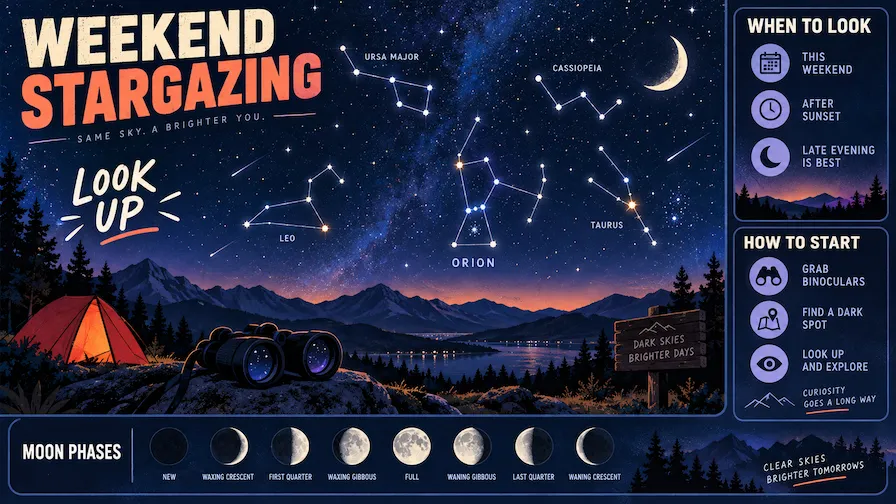
Infographics and educational visuals
Transform a process, lesson, comparison, or set of data points into a visual people can scan and understand. Create classroom posters, science explainers, timelines, flowcharts, and visual guides that balance information density with a clear reading path.

Marketing posters and ad creatives
Create campaign concepts, sale posters, social graphics, and launch visuals with room for a message as well as an image. Give Seedream 5.0 Pro the offer, audience, brand mood, and layout direction to produce a stronger first draft for your next promotion.
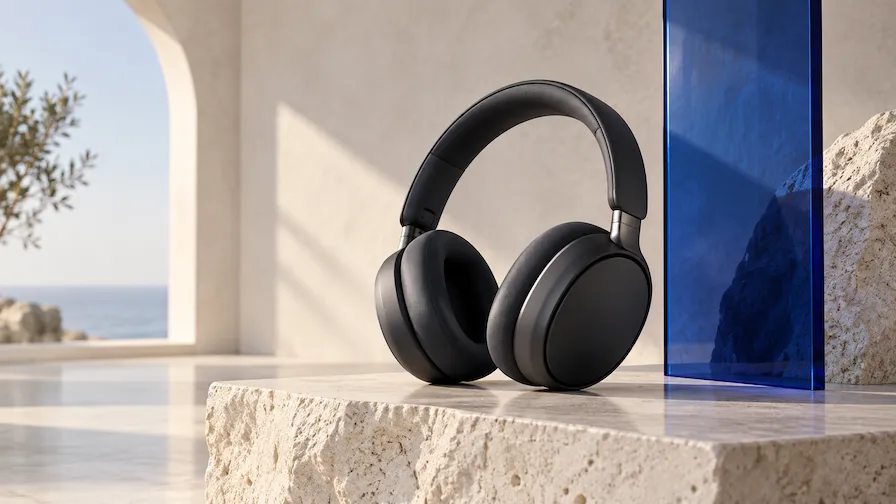
Product and e-commerce imagery
Place a product in new settings, explore seasonal campaign treatments, or build product-led lifestyle scenes from visual references. Specify surfaces, props, lighting, and the intended customer so the image supports the product story instead of looking like a generic mockup.
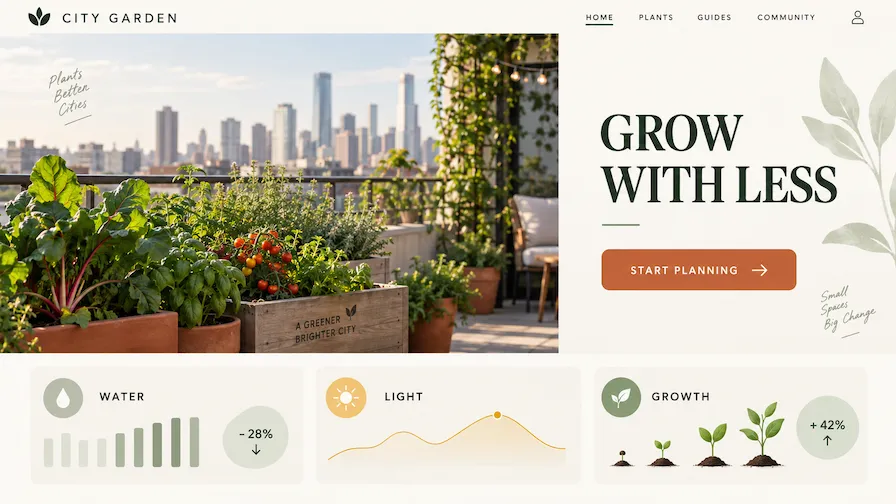
Website and app design concepts
Turn a rough sketch, wireframe, or written brief into a polished interface concept. Seedream 5.0 Pro can help visualize a landing-page hero, dashboard, editorial layout, or brand direction while following the structure, content areas, and visual tone you define.

Photo retouching and scene changes
Make a practical visual update without rebuilding the full image. Change a product color, replace a background, adjust materials, improve a scene's mood, or rework a selected object. Visual annotations help you communicate which part should change and what should stay intact.

Multilingual campaign assets
According to ByteDance Seed, Seedream 5.0 Pro supports direct prompting and image generation in more than a dozen widely used languages. Use it to draft localized posters, menus, notices, and social assets—then have a fluent reviewer verify final copy and cultural details.
Choose Your Plan
Free images include a watermark. Upgrade for watermark-free, high-quality downloads, faster generation, and commercial use.
Starter
50% Off
$9
$19
/month
Billed annually, $228$108/year
800 Credits/mo for generation
Up to 400 images/month
Access to premium AI models
High quality images
Faster generation
Private generation
No watermarks
Commercial use license
Pro
50% Off
$19
$39
/month
Billed annually, $468$228/year
2,000 Credits/mo for generation
Up to 1000 images/month
Access to premium AI models
High quality images
Faster generation
Private generation
No watermarks
Commercial use license
Early access to advanced AI features
Max
50% Off
$39
$79
/month
Billed annually, $948$468/year
4,500 Credits/mo for generation
Up to 2250 images/month
Access to premium AI models
High quality images
Faster generation
Private generation
No watermarks
Commercial use license
Lowest cost per credit
Early access to advanced AI features
Seedream 5.0 Pro FAQ
Seedream 5.0 Pro is a multimodal AI image generation model from ByteDance Seed. It is designed for professional visual creation, combining text-to-image generation with image references, multi-image fusion, layout-aware infographic generation, realistic imagery, and guided image editing.
You can try Seedream 5.0 Pro in Wymagine AI. Select it in the image generator to create from text prompts or reference images, then refine the result with focused edits. Wymagine AI also offers other image models, so you can compare options and choose the one that best fits your project.
No. Seedream 5.0 Pro and Seedream 5.0 Lite are separate models in the same series, optimized for different kinds of visual work. Choose Seedream 5.0 Pro when you need text-rich layouts, spatially guided editing, multi-image compositing, photorealistic detail, or multilingual output. Choose Seedream 5.0 Lite for flexible everyday image creation, detailed prompts, reference-led exploration, and early visual concepts.
You can create photorealistic scenes, portraits, product visuals, posters, educational explainers, infographics, storyboards, interface concepts, and imaginative artwork. It is especially useful when you need the image to follow a detailed composition, explain information clearly, or combine several visual inputs.
Yes. Add an image and describe the change you need. For more precise results, use spatial guidance such as a point, selection, box, or sketch to identify the target area. This is useful for localized edits like replacing an object, changing a color or material, or adjusting a scene while preserving the broader composition.
References give the model visual context that words alone may not capture. You can provide source images for a subject, product, style, layout, or scene element, then explain how they should influence the result. When working with several references, be explicit about each image's role in the final composition.
Yes. It is designed for text-rich visual formats such as posters, explainers, and infographics. Give it the exact copy, hierarchy, and layout constraints you need, then verify names, dates, prices, legal copy, and data before publishing.
Yes. ByteDance Seed states that Seedream 5.0 Pro supports direct input and high-quality image generation in more than ten widely used languages. That makes it a practical option for drafting localized posters, public notices, menus, educational materials, and campaign concepts. Always review final copy with a fluent speaker when accuracy matters.
Be specific about the goal, audience, subject, composition, and visual style. State what must remain unchanged when editing an image, and use references or annotations for details that are hard to express in words. For complex work, refine in stages: establish the composition first, then improve selected areas with focused follow-up instructions.
Start your first Seedream 5.0 Pro image
Add a prompt or reference image, and create an infographic, campaign visual, or precise image edit.